You don't have a UGC business yet.
You have a side hobby in twenty different apps.
The UGC Operating System is the Notion build that pulls your collabs, your daily to-dos, your content calendar, your goals, your invoices, and your scripts into one place — so you can stop running your business out of fifteen tabs and your memory.
GET THE OPERATING SYSTEM

Most UGC creators don't have a business. They have a side hobby and 20 browser tabs.
Let me guess. You have collabs in your inbox, open offers in Fiverr, proposals in Upwork, and notes about scripts in Google Drive. Your to-do list is scribbled on Post-it notes or in your Notes app. You've got calendar invites across 20 different calendars that have nothing to do with the client deadlines you track in your planner. You can feel things slipping.
A brand asks if you sent the raw footage from a collab you finished three weeks ago, and you genuinely cannot remember. You scroll through your email for twenty minutes. You find the thread. You realize the usage rights expired last Tuesday and nobody told you because you were the one supposed to be tracking it.
This is the part of UGC nobody warns you about.
Content is king. Business is queen.
The filming is the fun 20% of your business. The other 80%?
Filming the content.
Running the actual business.
- Reading briefs
- Tracking deadlines
- Deliverables
- Revisions
- Invoices
- Payments
- Follow-ups
- Proofreading
- Contracts
- Following usage windows
- Drafting scripts
- Running the content calendar
- Daily to-dos
- Remembering which brand asked for what version of which video
It's the part that quietly burns creators out and makes them think they're not cut out for this — when really, they just never had a system that could hold the volume. The UGC Operating System is that system. It's the same Notion build I use to manage my own business, simplified into a template you can plug into your own Notion in about ten minutes.
Introducing
The UGC Operating System
Notion Template

Six pieces. One operating system.
Every section connects to the next. Your collab tracker links to your invoices. Your pitches link to your follow-up library. Your goals link to your daily to-dos. Your scripts live inside the brand records that needed them. It's not a folder of pretty pages — it's one system that holds your whole business in one place.
Stop tracking collabs across Google Docs, your inbox, Fiverr, Upwork, and your head. One central system holds every detail of every deal — sortable by status, due date, payment, brand, or whatever else you need to see. It all starts at one hub.
i. The Hub
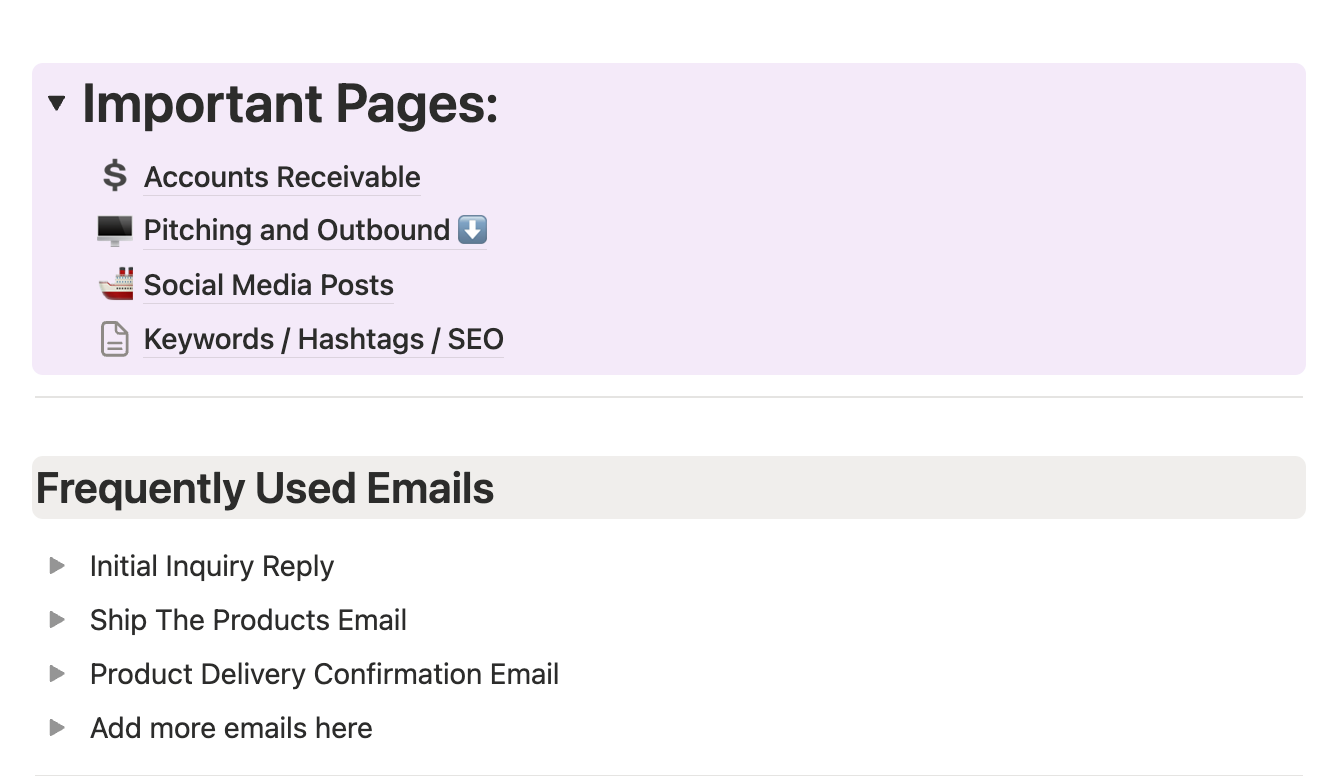
The Important Pages hub is the front door of the system. Accounts Receivable. Pitching and Outbound. Social Media Posts. Keywords/Hashtags/SEO. Frequently-used emails. Click anywhere and you're working — not setting up, not configuring, not figuring it out.
ii. The Master Tracker
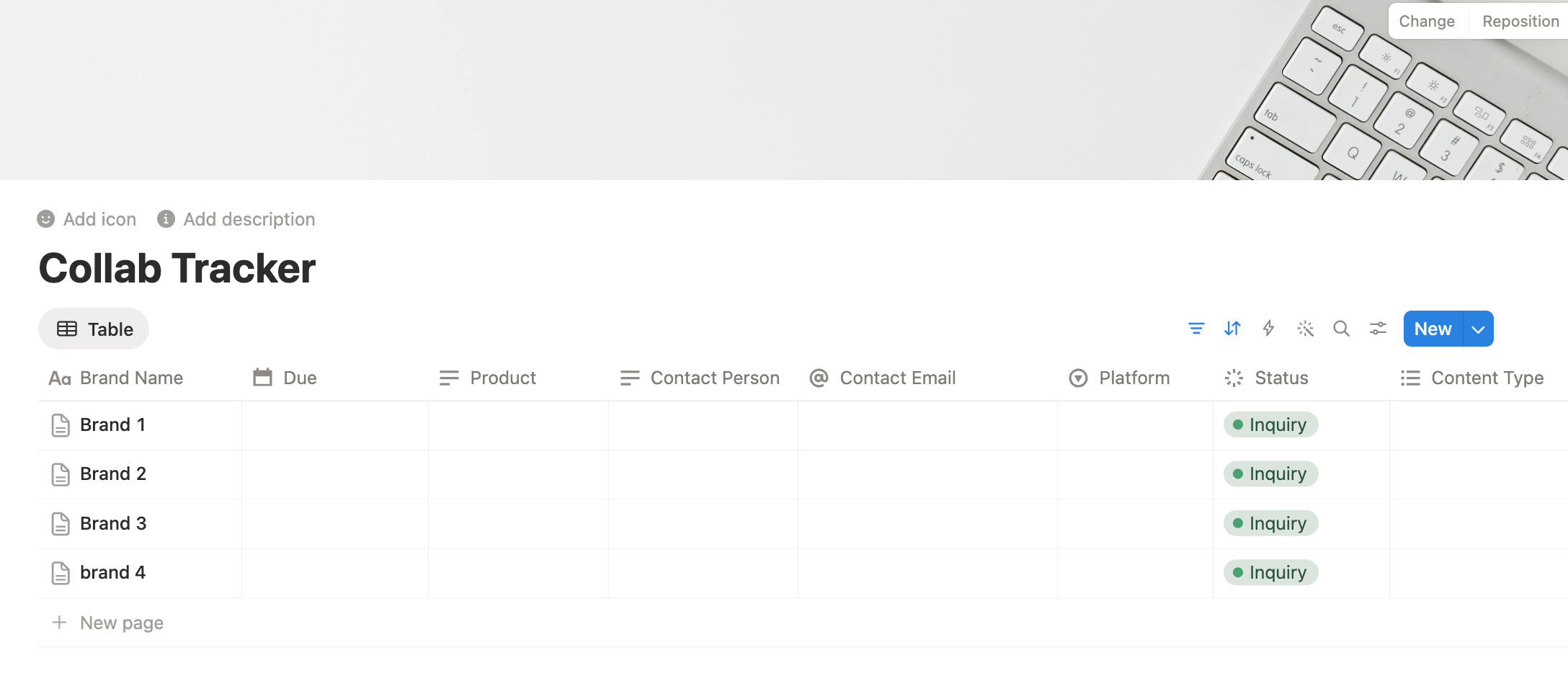
Brand name. Due date. Product. Contact person. Contact email. Platform. Status. Content type. Every column you need to actually run a deal — and you can sort, filter, or group by any of them.
iii. Accounts Receivable
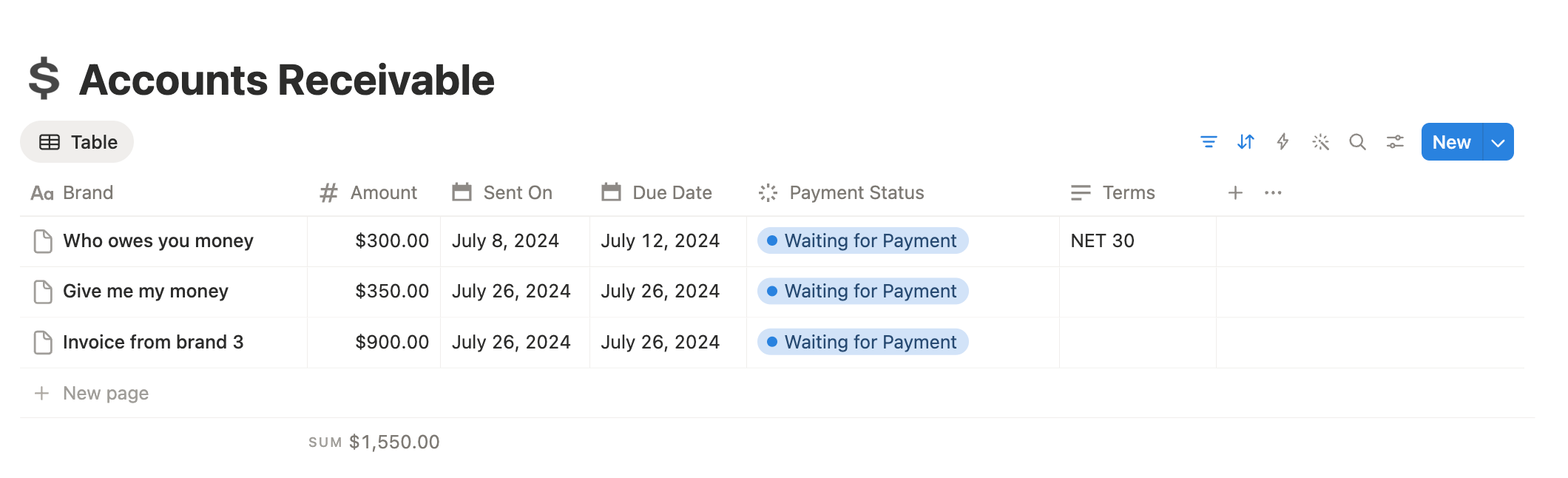
The page that quietly does more for your bank account than any pitching strategy. Track every invoice with amount, sent date, due date, payment status, and net terms. The total at the bottom adds itself up so you stop guessing what your month actually looks like.
iv. Pitching & Outbound
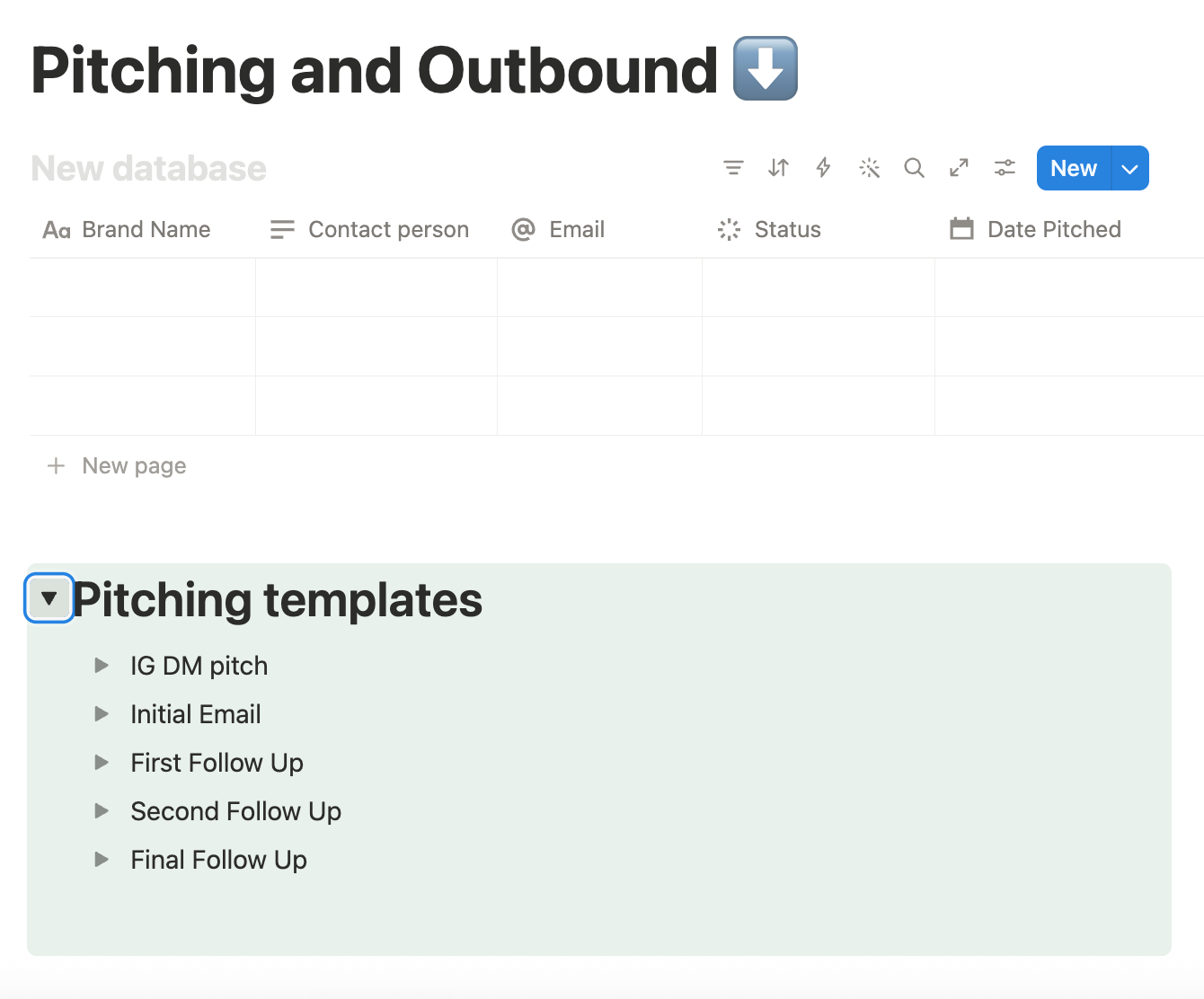
Track who you've pitched, when, and what came of it — alongside a built-in template library for IG DM pitches, initial emails, and three follow-up sequences. Stop rewriting the same email twice a week.
v. Goals & Daily To-Dos
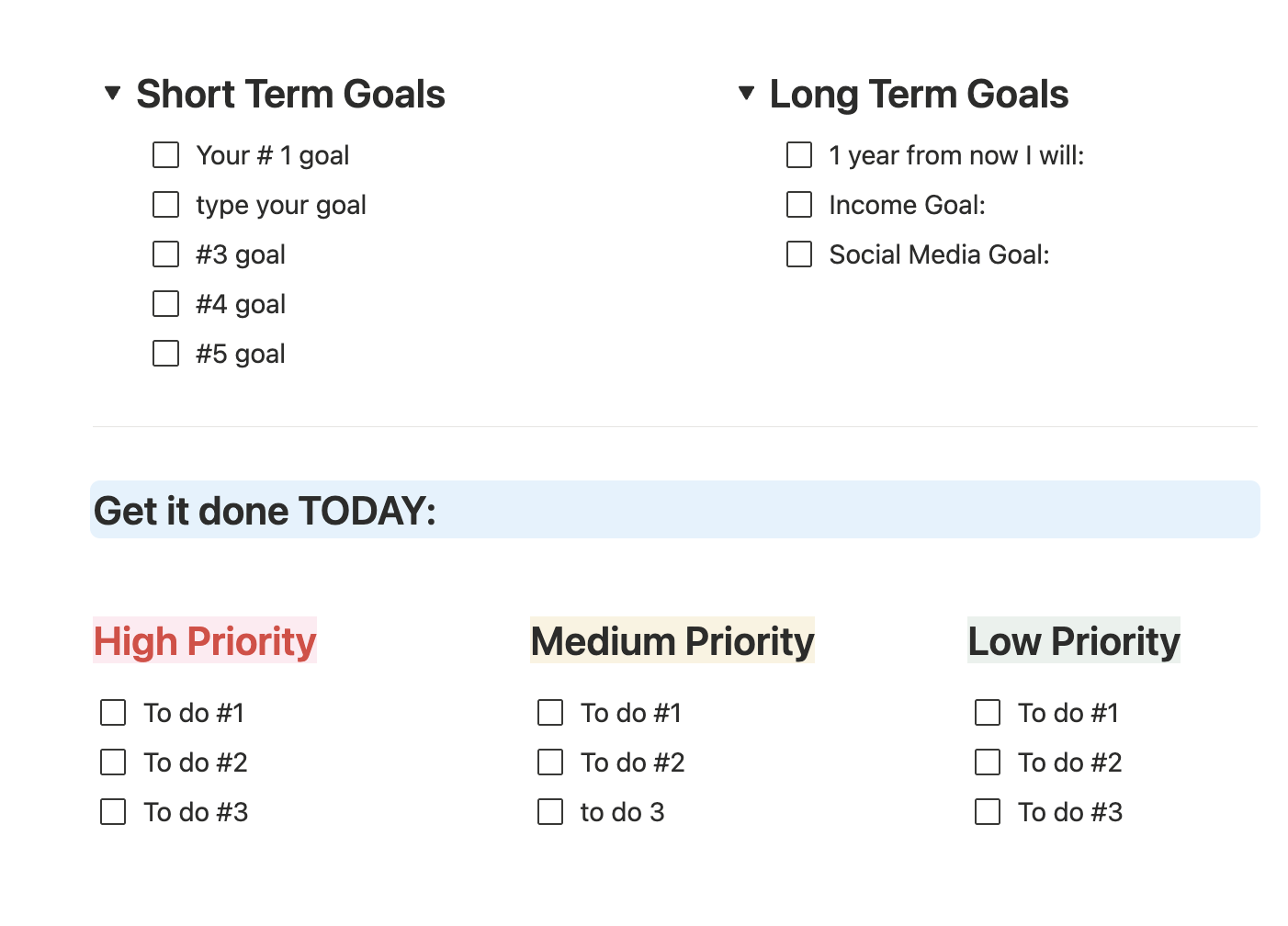
Set the income goal, the social media goal, the one-year vision — then break today into high, medium, and low priority. The most important work actually gets done, not just the easiest things to cross off.
vi. Keywords, Hashtags & SEO
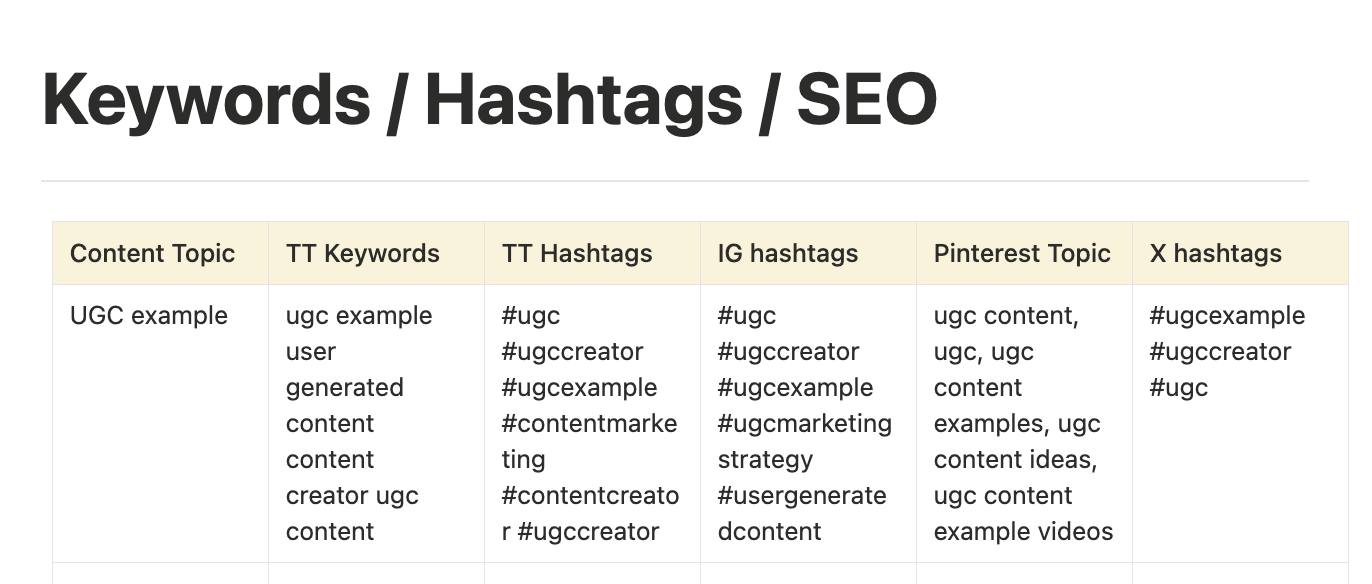
Build a real keyword and hashtag bank, organized by content topic, across every platform you post on. TikTok keywords. TikTok hashtags. IG hashtags. Pinterest topics. X hashtags. Stop reusing the same five hashtags every week and hoping.
Frequently-Used Email Library
Initial inquiry reply, ship-the-products email, delivery confirmation, and as many more as you want to add. Save the email once, reuse it forever.
Social Media Content Planner
Plan and schedule your personal-brand posts in the same system that holds your collabs. Your content and your business stop living in different worlds.
Script Drafting Inside Each Project
Write your scripts directly inside the collab record. Script templates included. No more hunting through Drive for which script went with which brand.
WHY I BUILT THIS
The system I wish I'd had at deal number four.
I was running my UGC business out of fifteen Google Docs, three calendars, and my own head — and at some point I realized I wasn't the CEO of my business. I was the intern, doing twenty jobs at once.
This is the rebuild. It's the same setup I use today, but simplified for just you.
GET THE OPERATING SYSTEM40-minute step-by-step walkthrough video — even if you've never used Notion.
If you're intimidated by Notion, or you've genuinely never opened it before, this video walks you through every section of the template and shows you exactly how to use it. By the time it's over, you'll know Notion well enough to bend the system to your workflow. No tech background required.
Who this is for
The creator about to land her first collab
Who wants to start with a real system instead of cobbling one together at deal four when everything is already on fire.
The creator juggling 3–10 active collabs
Who can feel things slipping through the cracks and knows the Google Doc is no longer cutting it.
The creator scaling past 10 collabs a month
Who needs one source of truth for every deal, every brand, every dollar, and every piece of content — especially before bringing on an editor or VA.
If you're not sure you want to do UGC and you're just looking around, save your money. You don't need a system yet.
If you want a done-for-you service where someone else manages your business, this isn't that. This is the operating system. You still run it.
If you already have a Notion system you love and use, you don't need a second one.
The system, in one purchase
The UGC Operating System is the same Notion build I use to run my own business — every collab, every pitch, every dollar, every script, every content idea, every goal — held in one operating system.
You pay once. You own it for life. Every time I update the template, you get the new version free.
If you're going to do UGC seriously, you need a system. This is mine, simplified for you, for less than the cost of one missed usage-rights renewal.
Frequently Asked Questions
Do I need a paid Notion account to use this?
How do I access it after I buy?
Is this beginner-friendly if I've never used Notion?
Will this work if I use other tools?
Is it really 100% customizable?
Will the system get updated?
You're done running your business on duct tape, memory and sticky notes
One time payment. Instant Access. Lifetime updates included👇